Markdown editing,
distraction-free.
A fast, distraction-free Markdown editor built with Wails. Features a clean interface, split-view editing, native file dialogs, and keyboard shortcuts. No server. No account. Your files never leave your device.
Free & open-source under MIT License
See it in action
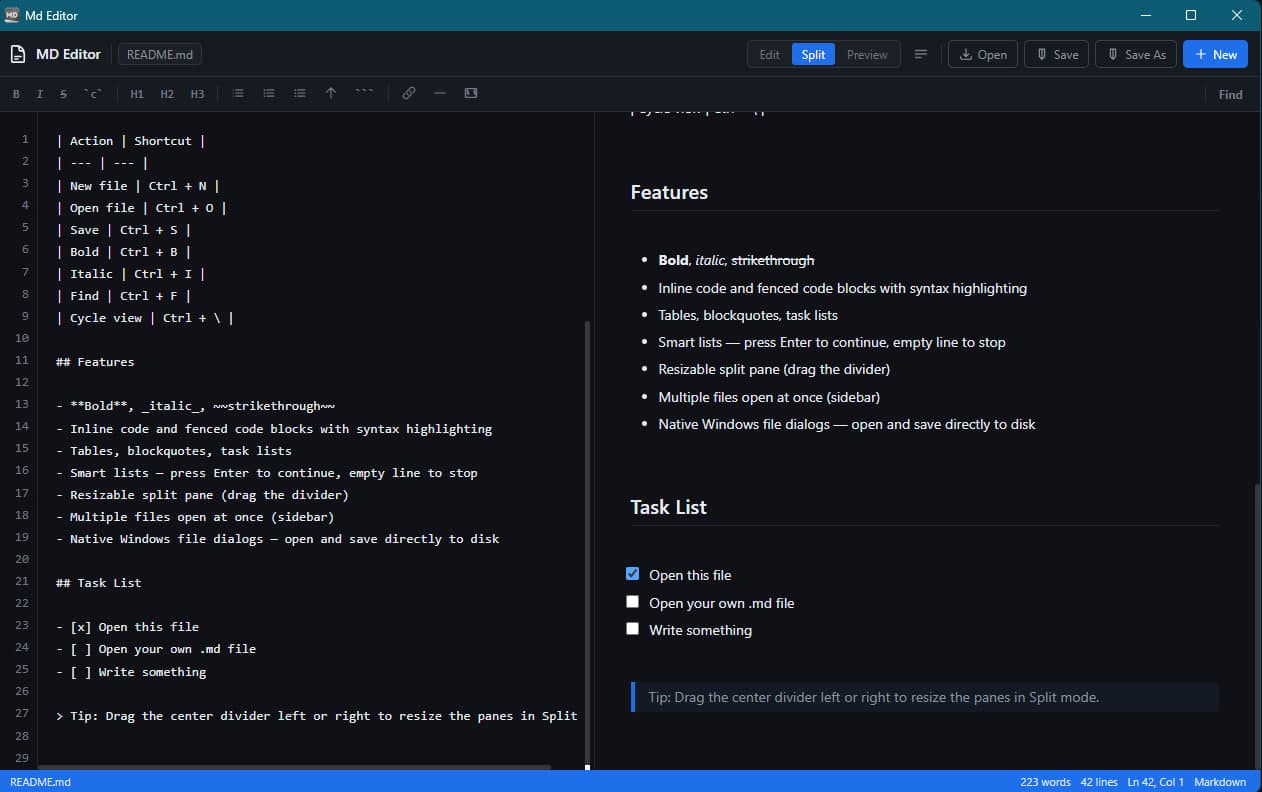
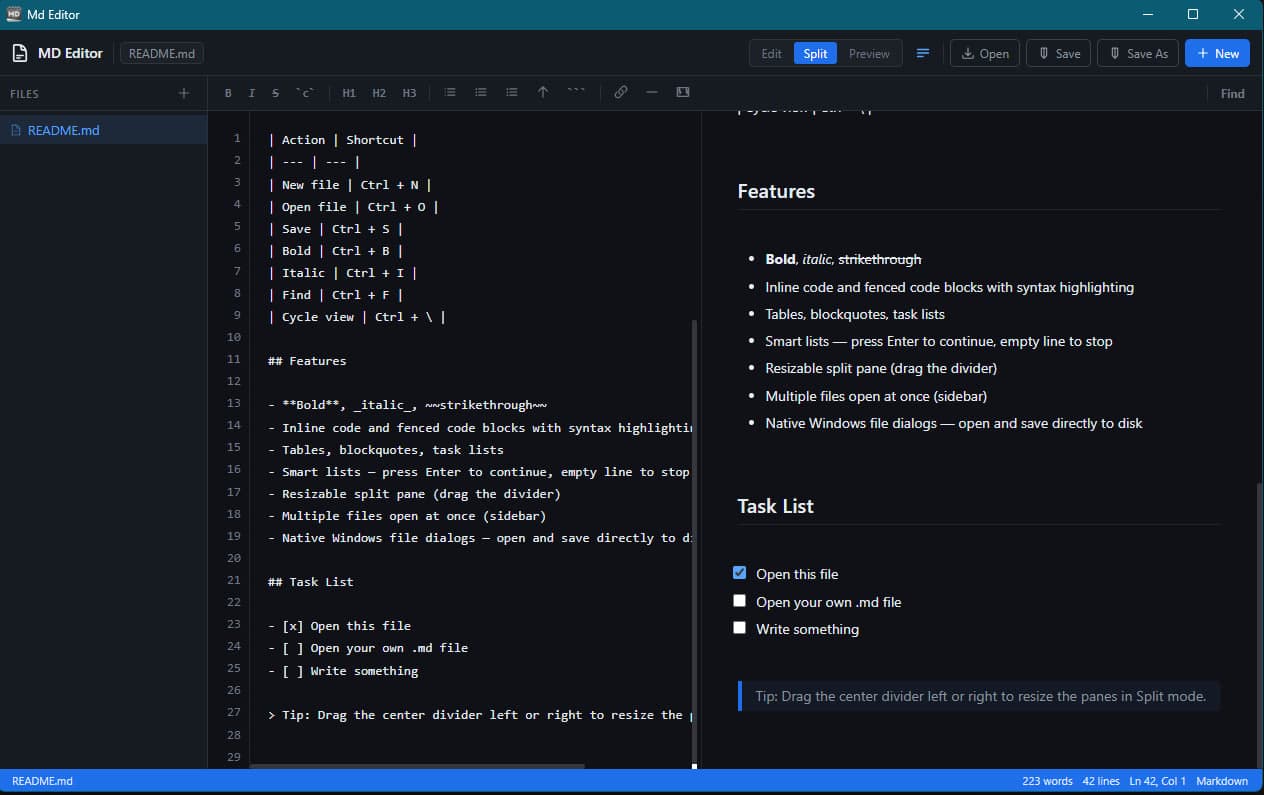
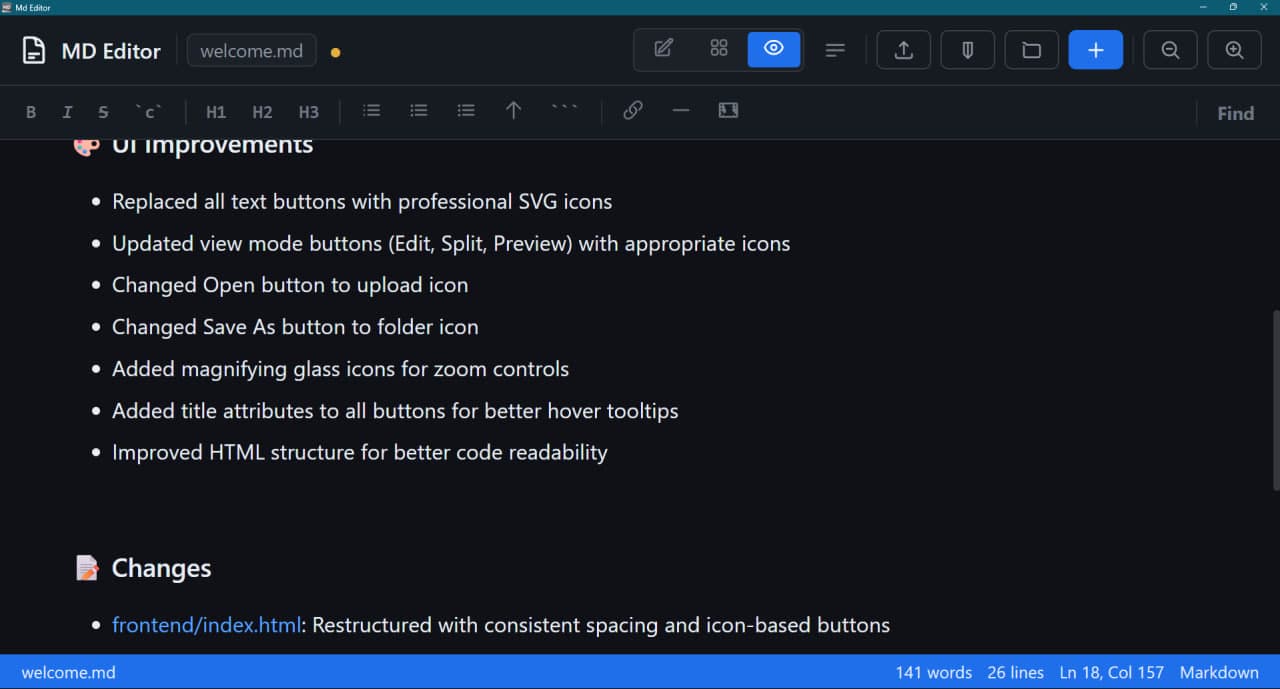
Clean interface, split-view editing, and a document outline that updates as you type.
Everything you need.
Nothing you don't.
Built for writers, developers, and anyone who works with Markdown. Fast, lightweight, and focused on what matters.
Live Preview
Edit and preview your Markdown side-by-side in real-time
Split View
Choose between Edit-only, Split, or Preview-only modes
Document Outline
Live outline panel showing all headings with click-to-navigate
File Watching
Automatic detection of external file changes with conflict resolution
Zoom Controls
Adjust the editor zoom level (50% - 250%) with buttons or keyboard shortcuts
Collapsible Sidebar
Manage multiple files with a collapsible file sidebar
Native File Dialogs
Open and save files directly to disk using Windows native dialogs
Syntax Highlighting
Code blocks with syntax highlighting
Keyboard Shortcuts
Full keyboard support for common actions
Drag & Drop
Drag files directly into the editor to open them
Startup File Support
Open a file directly from command line
Quick Search
Ctrl+F to instantly search and jump to matches in your document
Copy in Preview
Copy text directly from the preview pane with Ctrl+C
Auto Version Check
Get notified automatically when new updates are available
Clean UI
Professional icon-based interface with smooth animations
Markdown Support
Full Markdown syntax support with live preview.
Text Formatting
Bold, italic, strikethrough
Code
Inline code and fenced code blocks with syntax highlighting
Lists
Bullet lists, numbered lists, task lists
Tables
Full Markdown table support
Blockquotes
Nested blockquotes
Headings
H1-H6 headings
Links & Images
Standard Markdown syntax
Horizontal Rules
--- for separators
Smart Lists
Press Enter to continue, empty line to stop
Why Markit?
Built with Wails for native performance. No bloat, no electron, just a fast and clean experience.
Lightning Fast
Built with Go and Wails. Instant startup, responsive editing, and smooth animations.
Only ~10MB
No Electron, no bloat. A fraction of the size of other editors. Download and start writing instantly.
100% Local
Your files never leave your device. No cloud sync, no accounts, no telemetry. Pure privacy.
Quick Start
Get up and running in seconds.
- 1Download Markit from GitHub Releases
- 2Extract the zip file
- 3Run Markit.exe
- 4Click Open or drag .md files onto the window
- 5Edit using the toolbar or keyboard shortcuts
- 6Switch between Edit / Split / Preview modes (top-right)
- 7Click Save to save directly to disk
Or open files from the command line:
Markit.exe myfile.mdMarkit.exe file1.md file2.md file3.mdKeyboard Shortcuts
Navigate faster with full keyboard support.
Ctrl + NCtrl + OCtrl + SCtrl + Shift + SCtrl + BCtrl + ICtrl + FCtrl + CCtrl + \Ctrl + Shift + BCtrl + + or Ctrl + =Ctrl + -Changelog
All releases and improvements.
- Copy shortcut in preview page (Ctrl+C)
- Ctrl+F to open search
- Fixed search auto-jump bug
- Automatic version checking — get notified when updates are available
- Fixed inline code rendering problem
- Windows installer — proper setup.exe with install wizard
- .md and .markdown file association — appears in right-click Open with
- Start Menu and Desktop shortcuts created automatically
- Clean uninstaller in Add/Remove Programs
- App renamed from MD Editor to Markit
- Both portable .exe and installer available
- Improved icon arrangement for better visual structure
- Refined color scheme for cleaner UI appearance
- Minor UI polish and consistency improvements
- Automatic file watching — detects when files are modified externally
- Conflict notification bar — appears when external changes conflict with unsaved edits
- Reload option — reload file from disk, discarding local changes
- Save option — overwrite external changes with your version
- Keep option — ignore external changes and continue editing
- Smart conflict handling — only shows notification when you have unsaved changes
- fsnotify integration — efficient file system monitoring via Go backend
- Document outline panel in sidebar — reads all headings live
- Click any outline item to scroll preview to that heading
- Resizable divider between Files and Outline sections
- Outline updates live as you type
- Added zoom in/out buttons to the titlebar
- Added keyboard shortcuts for zoom (Ctrl +/-)
- Replaced text buttons with professional SVG icons
- Improved HTML structure for better code readability
- Added collapsible sidebar with smooth animation
- Added persistent sidebar state (saved to localStorage)
- Added support for opening files from command line arguments
- Fixed syntax highlighter for .env and config files
- Improved overall UI polish
- Open .md files directly — right-click any .md file and open with Markit
- Fixed syntax highlighter breaking .env and config file rendering
- Updated welcome screen
- Updated app icon
- Core Markdown editing functionality
- Split view mode
- Native Windows file dialogs
- Keyboard shortcuts
- Syntax highlighting
- Multiple files open at once with sidebar
- Formatting toolbar (Bold, Italic, Headings, Lists, Tables, Code blocks)
- Find in document with match count
- Task lists with clickable checkboxes
- Dark theme
Ready to try it?
Free and open-source under MIT License. No subscriptions, no payments.
Windows 10/11+ • Linux • Installer or portable • ~10MB
Markit is open source
If you find Markit useful, please consider giving it a star on GitHub. It helps the project grow and lets others discover it.
Every star counts. Thank you for your support!